Highlight/select color too bright in light mode
The chatbot's default message highlight/select color is very bright/high-contrast in light mode, making it hard to read comfortably:
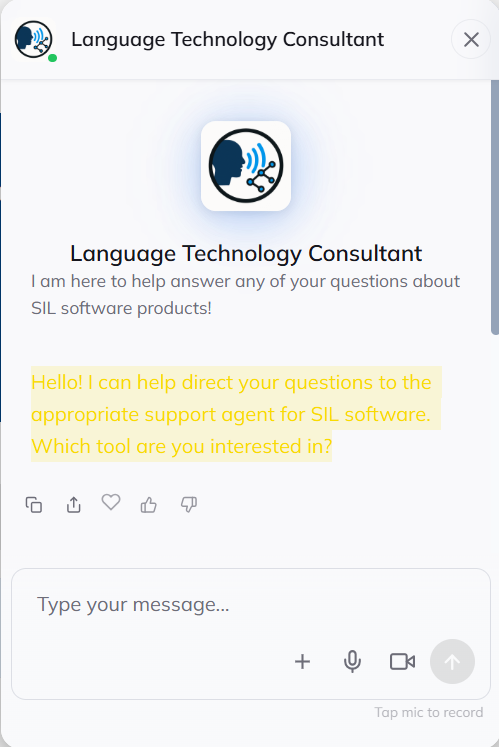
This is especially important for users who want to copy/paste answers, which we do to help support users.
Dark mode looks better by comparison, but still seems a bit bright.
Could the highlight color be adjusted or muted for light mode, or made theme-aware?
Log in to comment and vote
No comments yet
Be the first to share your thoughts.